
Search  for anything...

Printhead Cleaning Kits Inkjet Printers, Printer Cleaning Kit for Epson Ecotank Printers, Printer Cleaner Kit for HP, Inkjet Printers Head Cleaning Solution for Canon Pixma Print Head Liquid Nozzles

  • Based on 2,034 reviews
Condition: New
Checking for the best price...

Buy Now, Pay Later


As low as $2 / mo
  • – 4-month term
  • – No impact on credit
  • – Instant approval decision
  • – Secure and straightforward checkout

Ready to go? Add this product to your cart and select a plan during checkout.

Payment plans are offered through our trusted finance partners Klarna, Affirm, Afterpay, Apple Pay, and PayTomorrow. No-credit-needed leasing options through Acima may also be available at checkout.

Learn more about financing & leasing here.

Selected Option

Free shipping on this product

FREE 30-day refund/replacement

To qualify for a full refund, items must be returned in their original, unused condition. If an item is returned in a used, damaged, or materially different state, you may be granted a partial refund.

To initiate a return, please visit our Returns Center.

View our full returns policy here.


Availability: 20 left in stock
Fulfilled by Amazon

Arrives Monday, Feb 16
Order within 5 hours and 27 minutes
Available payment plans shown during checkout

Protection Plan Protect Your Purchase
Checking for protection plans...

Size: Printer Cleaning Kit 100mL


Features

  • Printhead Cleaning Kits for Inkjet Printers: Fosgoit Inkjet Printhead Cleaner for Epson Printer, Ink Jet Cleaning Solution for Canon Inkjet, Printer Printhead Cleaning Kit Cleaner for Print Head, Inkjet Cleaning Solution Kit for HP Printer Head, Inkjet Printhead Cleaning Kit Epson Eco Tank, Ink Cartridges Cleaning Solution for et-4800, Ink Cartridges Cleaner Solution for Epson, Printhead Cleaner for Print Head, Inkjet Cleaner Solution for Canon Print Head
  • Cleaner for Inkjet Printers: Fosgoit Printhead Cleaning Solution for Inkjet Printers are Suitable for Epson EcoTank WorkForce Inkjet Printers, Print head Cleaner Solution for HP Officejet HP Deskjet Canon Inkjet Printers. Inkjet Cleaning Solution for Epson 2720 2750 2760 2800 2803 2850 3760 4700 4800 5170 8500 8550 15000 Inkjet Printers; Epson WF 7710 7 2860 3820 4820 4830 7310 7820 7840 Inkjet Printers; Epson XP 330 0 4100 4105 7100 960 Inkjet Printers
  • Compatible with HP Epson Canon Inkjet Printers: Print Head Nozzle Cleaning for HP OfficeJet 8600 8610 8620 8025 6835 3830 5255 6230 6700 6978 7740 8022 8710 Inkjet Printers HP Envy 4520 5055 6052 6055 6055e 6075 6452 HP DeskJet 2622 2752 2752e 2755 2755e Inkjet Printers, Inkjet Cleaning Solution for MFC J491DW J5845DW J995DW J1010DW J1170DW Inkjet Printers, Cleaning for Inkjet Printer for Canon MX492 MX922 MG2522 MG2525 MG3620 G3260 TS3520 TS5320 TS6320 Inkjet Printers
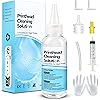
  • Compatible Design of Printers Cleaning Solution: The yellow nozzle is for Epson and printers. The white is for HP and Canon printers. Each size of the nozzles is specifically designed to fit different ink fig port, which can avoid liquid leakage. Cleaning your inkjet printer with an effective printer head cleaner instead of discarding, it can bring your printer a brand new look and help you save money. Printer cleaning supplies protect the printhead and extend your printer life!
  • Wide Applications of Printer Cleaner: Fosgoit printer head cleaning kit can be used for OEM factory ink, dye ink, pigment ink, sublimation ink, heat transfer ink. Our print head cleaning solution contains degradation factors, which can dissolve the hard block and other soluble impurities left after the ink hardens, making the ink flow more smoothly and wouldn't corrode the print head.
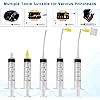
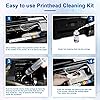
  • Printers Cleaner Solution are Easy to Use: Fosgoit printer cleaning kit comes with complete instructions. Printer nozzle clog cleaning tools include 100mL printhead cleaning solution, syringe, silicone hose, large rubber stopper, small rubber stopper, gloves and instructions, aiming to make your cleaning process more convenient and easier. Before cleaning, please unplug the power supply first to avoid clogging the nozzles caused by the circuit.

Model Name: Printer Cleaning Kit


Brand: Fosgoit


Ink Color: Printer Head Nozzle Cleaner Kit


Page Yield: 500


Compatible Devices: Inkjet Printer Cleaning Fluid for Canon G2270 G3270 G7020 G620 MG2525 TS5320a TS9520 TS9521C TR4720 TR7020a TR7620a/Canon Maxify GX3020 GX5020 GX6020 GX6021 GX7021 MB2120 MB2720 MB5120 MB5420/Canon Megatank G1220 GX4020 G4270; Inkjet Printer Flush Kit for Inkjet Printer, Inkjet Printer Nozzle Cleaning Kit for Epson Eco Tank ET-15000 ET-2720 ET-2800 ET-2803 ET-2850 ET-3760 ET-4760 ET-5150 ET-5170 ET-5850 Expression XP-970 XP-4200 XP-8700 XP-15000 Workforce WF-2860 WF-2930 WF-2960 WF-4820 WF-4830 WF-7310 WF-7820 Stylus C88; Inkjet Printer Nozzle Cleaner for HP DeskJet 2755e 3752 3755 3830 4155e Pro 6230 6978 8720 8730 OfficeJet 5255 8015e 8025e 9015e Pro 8035 Envy 6055e 6455e 7855 7858 Smart Tank 6001 7001 7301 7602, Printhead Nozzle Cleaning Kit Printer Head Nozzle Cleaning Kit Print Head Nozzle Cleaning Kit Printhead Nozzle Cleaner Print Head Nozzle Cleaner Printer Head Nozzle Cleaner Print Head Cleaning Fluid Printer Head Cleaning Fluid Printhead Flush Kit Print Head Flush Kit Printer Head Flush Kit Print Head Cleaner Solution Printhead Cleaner Solution Printer Head Cleaner Solution Printer Cleaner Solution Print Head Cleaning Liquid Printhead Cleaning Liquid See more


Special Feature: Printhead Cleaning Kit


Compatibility Options: Compatible


Color: Clear


Ink Base: Water


Compatible Printer Models: Inkjet Printer Cleaner Kit for HP Printhead, Print Head Liquid Nozzles for inkjet printer, Printer Cleaning Kit for Epson Ecotank Printer, Printer Head Cleaning Solution for Canon Inkjet See more


Manufacturer: ‎NUOK


Brand: ‎Fosgoit


Item Weight: ‎5.6 ounces


Product Dimensions: ‎5.91 x 2.36 x 1.97 inches


Item model number: ‎Inkjet Printer Cleaning Kit


Color: ‎Clear


Number of Items: ‎1


Size: ‎Printer Cleaning Kit 100mL


Sheet Size: ‎A4, Tabloid (11x17 inches)


Ink Color: ‎Printer Head Nozzle Cleaner Kit


Manufacturer Part Number: ‎UN-UN100ML-T01-1PACK


Date First Available: November 20, 2020


Frequently asked questions

If you place your order now, the estimated arrival date for this product is: Monday, Feb 16

Yes, absolutely! You may return this product for a full refund within 30 days of receiving it.

To initiate a return, please visit our Returns Center.

View our full returns policy here.

  • Klarna Financing
  • Affirm Pay in 4
  • Affirm Financing
  • Afterpay Financing
  • PayTomorrow Financing
  • Financing through Apple Pay
Leasing options through Acima may also be available during checkout.

Learn more about financing & leasing here.

Top Amazon Reviews


  • Very good investment WOW
Size: Printer Cleaning Kit 100mL
I tried printing a copy of a printer purge file that had all colors and check which color was having a clog. Two colors had a 100% clog. I tried printing several times with the same result. Then did a light head cleaning (3 minutes) and that did not work. Stoped doing the 7 minute clean up until I tried this product. I reluctantly purchased it as a last option before I gave up on the printer. Was already looking for new printers. When it arrived, i was ready but my ET-4700 did not readily lifted up to get to the printer heads. You have to remove two little screws right above where the printed page comes out. Then the top part goes up and you have full access to the printer heads. You have to put something to keep the top of the printer opened. The next step is to put paper towel right under the printer heads. You have to fold the paper very tightly as there is not very much clearance between the printer head and the bottom of the printer. The syringe can eject 5mm at a time. This is good so that you don't flood the bottom of the printer. The bottle comes with 100mm and it is recommended to flow no less than 20mm into each color head with a possible clog. After the paper towel is in placed between the printer bottom and the printer head, you have to gently take the soft plastic tubes out of the cassette (a little reservoir box where the ink passes right before it prints to the page) that sits right on top of each printer head. You have a choice to make as to where you plug the tube that comes out of your syringe. 1st Choice: Place the syringe tube on the same place as the soft plastic tubes that flow the ink from the big reservoir. 2nd Choice: Remove the cassette (a little reservoir box where the ink passes right before it prints to the page) that sits right on top of the print head and connect the syringe tube where the cassette makes contact with the print head. I chose the first one as it seemed the most thorough option. The videos I saw stat that it is almost always right on the head but I though why not clean anything in the cassette as well. Plus the syringe connection to the print head did not all that tight (worried about leaks). We did 4 flows (as the syringe has 5mm) for each troubled color (we had Yellow and Cyan with a complete clog). I had to be careful when i replaced the plunger after I filled the syringe with the clear fluid that came with the product. The plunger seems to have a very tight seal and I was afraid of shooting the liquid really fast as I replaced the plunger. After you shoot 10mm of liquid; move the head towards the other side of the paper towel to get that side ready for the other 10mm of clear liquid. If you see the paper towel completely soaked in ink. Then replace it. I recommend using the gloves (plastic bag material) that came with the product of use your own nitrile gloves. The paper towel will be very saturated with a clear solution and remaining ink. Move the head to the left or right and remove the paper towel. Use another paper towel for the next color but if you see too much liquid, clean the printer bottom before moving to the next clogged color. We only had two colors to do so, we used a few more paper towels to clean the bottom of the printer when we were done. Replaced the soft tubes that go to the cassette (gentle and slow proces) the tubes felt pretty delicate. We went ahead and did the full printing head clean regardless (7 minutes). You have to turn the printer off and then hold power button + help button for a few seconds to turn on into full cleaning mode. I had full ink on the tanks before I started this process and then seven minutes later I saw that all had gone down, mostly the black ink for some reason. Test post-product: Printed the head alignment page and surprise!! I SAW ALL FOUR COLORS in all their glory! Then printed a personal document and it was perfect. Very good product and resulted just as intended. Will definitely have this on hand and also use the printer more often from here on. Satisfied Customer. ... show more
Reviewed in the United States on November 16, 2023 by Pato McPickle

  • Fixed my Epson ET-2400
Size: Printer Cleaning Kit 100mL
Worked amazing! It unclogged my printer after it hasnt worked for almost a year. Now I use my printer on a daily all thanks to this product! It worked great with my Epson eco tank 2400 and it didn’t cause any damage. It was super easy to use and if i ever need it, I will buy this one again.
Reviewed in the United States on January 7, 2026 by Emily Rich

  • Take your time and allow extra time for print head to dry!!
Size: Printer Cleaning Kit 100mL
Worked after several cleanings- had to wait 48 hours for print head to finally dry out still needs additional cleanings but did remove the clogs and printer is working again
Reviewed in the United States on December 2, 2025 by Rick

  • Printer Cleaning Kit
Size: Printer Cleaning Kit 250mL
I usually wait a few months to write a review on a product to see how it works. I had to clean the print heads on my Epson Eco Tank printer. I replaced the print box, it made no difference. I was ready to buy a new printer $300.00, when I saw a video online about this kit. I was fairly easy to do, the instructions are OK, but there are more detailed videos online, that make the job easier. I took me about 15 minuted to do it and the printer has worked perfectly ever since. I highly recommend it! It saved me $300.00 ... show more
Reviewed in the United States on December 29, 2025 by Pat Fretwell

  • Worked for me in my Brother MFC-J4710DW
Size: Printer Cleaning Kit 100mL
I was prepared for a mess but after having my Brother MFC-J4710DW in storage for over 3 years, the ink was toast. Even with new cartridges and countless cleaning cycles, the print quality was a disaster. I picked up this kit based on the reviews. It was pretty easy to use and made much less of a mess than I thought. It is far from mess-free but it put whatever wonder-juice its made of into the ink system and after many more cleaning cycles, and a week of just ignoring it, my print quality was back. It is not perfect yet, but there is improvement with each print. I'd say its about 99% with only a couple pixel width lines. All in all, i am happy. The kit worked. The fact that I got my printer back without major repairs makes it valuable to me. I can't argue with the cost. Good Value. It did take a bit to get the fluid out of the system and back to good ink, but once there, the print quality was satisfactory and the color accuracy was back to what I expected. ... show more
Reviewed in the United States on September 3, 2025 by Needsmorenails

Can't find a product?

Find it on Amazon first, then paste the link below.
Checking for best price...