
Search  for anything...

Linksys WRT3200ACM: AC3200 Dual-Band Gigabit Wi-Fi Router, Beamforming Tri-Stream Wireless Signal, Ethernet Ports, MU-MIMO (Black, Blue)

  • Based on 3,605 reviews
Condition: Used - Very Good
Checking for the best price...
$114.00 Why this price?
Holiday Deal · 54% off was $249.99

Buy Now, Pay Later


As low as $19.00 / mo
  • – 6-month term
  • – No impact on credit
  • – Instant approval decision
  • – Secure and straightforward checkout

Ready to go? Add this product to your cart and select a plan during checkout.

Payment plans are offered through our trusted finance partners Klarna, Affirm, Afterpay, Apple Pay, and PayTomorrow. No-credit-needed leasing options through Acima may also be available at checkout.

Learn more about financing & leasing here.

Selected Option

Free shipping on this product

30-day refund/replacement

To qualify for a full refund, items must be returned in their original, unused condition. If an item is returned in a used, damaged, or materially different state, you may be granted a partial refund.

To initiate a return, please visit our Returns Center.

View our full returns policy here.


Availability: Only 1 left in stock, order soon!
Fulfilled by FDBV Corporate Group

Arrives Thursday, Dec 25
Order within 58 minutes
Available payment plans shown during checkout

Protection Plan Protect Your Purchase
Checking for protection plans...

Size: Open Source


Style: WRT3200ACM


Features

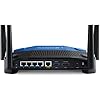
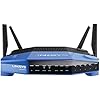
  • Fast wireless router provides Wi-Fi coverage for your home (works with existing modem)
  • Open source firmware offers advanced customization; Certified operating systems: MacOS (10.X or higher), Windows 7, Windows 8.1 (Works with Windows 10)
  • Tri stream 160 technology doubles bandwidth from 80 MHz to 160 MHz
  • Enjoy 4K HD streaming, gaming and more in high quality without buffering
  • Dual band Wi-Fi speeds up to 2.6 Gbps (2.4 GHz / 600 Mbps) plus (5 GHz / 2600 Mbps). Operating temperature: 32 to 104 F (0 to 40 C)
  • MU MIMO (Multi User Multiple Input Multiple Output) provides Wi-Fi to multiple devices at once, at the same high speed
  • Power supply: Input: 100 240V - 50 60Hz; Output: 12V, 3.0A

Description

The WRT3200ACM MU MIMO Gigabit Wi-Fi Router is powered by Tri Stream 160 technology, which doubles the bandwidth on all spatial streams for the fastest dual band router on the market to power all your high bandwidth activities. Featuring MU MIMO technology, it’s like a dedicated router to multiple devices for Wi-Fi at the same time, same speed. Open source ready with OpenWrt and DD WRT for complete flexibility and customization of networking functions, or to optimize your router for specific use cases. Upgraded Smart Wi-Fi app allows you to manage and monitor your home Wi-Fi from a mobile device, anytime, anywhere. It is the one and only WRT. Performance Perfected.

Brand: Linksys


Model Name: WRT3200ACM


Special Feature: Beamforming, Guest Mode, Parental Control


Frequency Band Class: Dual-Band


Wireless Communication Standard: 802.11ac


Compatible Devices: Cell Phones, Computers, Gaming Consoles, Laptops, Tablets


Recommended Uses For Product: Gaming


Included Components: Cable, Power Adapter, Quick Install Guide


Connectivity Technology: Ethernet, Wi-Fi


Color: black


Wireless Type: ‎802.11ac


Number of USB 2.0 Ports: ‎1


Number of USB 3.0 Ports: ‎1


Brand: ‎Linksys


Series: ‎WRT3200ACM


Item model number: ‎WRT3200ACM


Operating System: ‎MacOS (10.X or higher), Windows 7, Windows 8.1 (Works with Windows 10)


Item Weight: ‎3.57 pounds


Product Dimensions: ‎9.68 x 2.04 x 7.63 inches


Item Dimensions LxWxH: ‎9.68 x 2.04 x 7.63 inches


Color: ‎black


Voltage: ‎240 Volts


Batteries: ‎1 Lithium Polymer batteries required.


Manufacturer: ‎Linksys


Is Discontinued By Manufacturer: ‎No


Date First Available: ‎September 10, 2016


Frequently asked questions

If you place your order now, the estimated arrival date for this product is: Thursday, Dec 25

Yes, absolutely! You may return this product for a full refund within 30 days of receiving it.

To initiate a return, please visit our Returns Center.

View our full returns policy here.

  • Klarna Financing
  • Affirm Pay in 4
  • Affirm Financing
  • Afterpay Financing
  • PayTomorrow Financing
  • Financing through Apple Pay
Leasing options through Acima may also be available during checkout.

Learn more about financing & leasing here.

Top Amazon Reviews


  • WRT 3200ACM A very nice product, setup was very simple
WRT 3200ACM A very nice product, setup was very simple. Overall performance verses my 4 year old WD N900 router is much better; improved signal strength, improved throughput and so far no drop outs. I started getting drop outs on the old router when we exceeded 12 devices, the WRT has run flawlessly with up to 21 devices so far. The unit runs quiet and cool – no fan needed, which is nice since fan noise can be quiet annoying. I manually configured the router (enter 192.168.1.1 into your browser) and used “Smart Setup Tool” to get connected to the internet and do a basic configuration, the setup tool makes this very easy. After that I manually edited a few parameters to “personalize” the network, simplify management and optimize performance as follows: Changed name of the 5GHz network rather than accept the default of “Name of 2.4Ghz” appended with _5Ghz. Edited the guest network names and password and turned it off, I will switch it on if needed. Renamed some of the devices on the network map so that it is obvious which device is which. This make the network map much more useful. Edited the Host Name and Network Name, personal preference. Turned off the ability to manage this router wirelessly via Linksys Smart Wi-Fi (Connectivity – Administration tab) to reduce the chance of a wireless hack. Wireless networking defaults were not optimal for our network so I made the following changes: Set the 2.4 GHz network to 802.11gn. This router does not support 801.11b so I don’t think there is a difference between the mixed setting and the 802.11gn setting. I don’t have any legacy b only devices so this is not a problem. Not supporting 802.11b avoids the 2.4 GHz radio having to do gymnastics to talk to any b devices this helps 2.4 GHz throughput and avoids the slight decrease in n or g throughput that results from a mixed (with b) setting. I thought about using n only but since g and n can play together (the overhead associated with sending a legacy preamble before the HT preamble is small and g devices can interpret the n preamble) I left g available. I left the channel width setting on auto and it selected 40 MHz i.e., twice the width and double the data rate of the legacy channels. Set the 5 GHz network to ac only to allow optimum 5 GHz performance, I left the channel width setting on auto and it selected 80 MHz i.e., four times the width and four times the data rate of the legacy channels. I am not quite sure what they mean in the advertising info with regard to 160 MHz channel width since this device only has 4 antennas and 6 are needed to get 160 MHz bandwidth. I left the channel selection on auto for both networks. Restricting the router protocols has some potential disadvantages: 1. Legacy devices that are restricted to 2.4 GHz b and/or 5 GHz a and n only will not be able to connect, so if you have older devices this might be a problem. 2. If there are devices running 2.4 GHz b and 5 GHz a and n nearby they might interfere with your network and your network router might interfere with them. I am too far away from my neighbors for this to be a problem but if your neighbors are close you should probably use mixed mode. Given that the 802.11g protocol was released in 2003 and that manufactures built 802.11g chipsets before 2003 I doubt that many people have many 802.11b devices only. I would like to know if there is a difference between the between the 2.4 GHz mixed setting and the 2.4 GHz 802.11gn setting. Does the router listen for 802.11b signals and back off to allow legacy transmission to a legacy router when 2.4 GHz mixed is selected? I called tech support but the person I spoke too did not seem to know what I was talking about. Some users have reported signal strength gains, I measured the signal strength (using a Wi-Fi Analyzer on my phone) before and after installing the new router (in the same location). On the 2.4Ghz band the signal strength increased by an average of 3dB (double the power) running g and n protocols. This is not a huge improvement but will help in areas with marginal signal strength that are prone to signal drop outs. The increase in signal strength on 2.4Ghz varied from -1dB to 8dB, in looking at the results it looks like beam forming is working and increasing the signal strength in the areas with 2.4Ghz devices with up to an 8dB increase and an average of 4.5dB. On the 5 GHz band the signal strength increased by an average of 16dB (40 times the power) running mixed mode. This made some previously unreachable (for 5G Hz) areas of the house usable for Wi-Fi and is a great gain in signal strength. The 5 GHz radio designs have probably got a lot better in the last few years and this result alone is a good reason to buy this router. The increase in signal strength varied from 11dB to 20dB and did not seem to be affected by beam forming (possibly due to the fact that phone that I used to take the measurements was on the 5 GHz Wi-Fi network when I took the measurements). It is a good idea to back up your router configuration (Troubleshooting – Diagnostics tab) to allow a quick restore in the event you have to reset your router. The Troubleshooting Status report pages are very nice to have. It would be nice if you could search the router help information embedded on the router. The user guide does not cover as much as the help information on the router and he use of screen shots in the manual limit your ability to search (e.g., you cannot find Backup or Restore by searching the user manual). I am very happy with this product. ... show more
Reviewed in the United States on April 25, 2017 by Martin

  • Certifiably Rock Solid!
I bought this back in 2017 with the intent of upgrading a then-10-year-old Linksys WRT54G router that had served with honor and distinction through many LAN parties, firmware flashes, and general abuse. As expected, the WRT3200ACM has been the rock-solid basis of my home network ever since its first power-on event. I have only upgraded the firmware once, and that was with the stock firmware from Linksys. No OpenWRT or third-party firmware, although I vehemently support using third-party firmware. My 54G had dd-wrt on it and I loved it! When I bought the 3200 new, it was not even on the list of supported routers! Now that it is? Meh... Ain't broke, don't mess with it. The range is great! I can be in my garage about 100 feet away (no obstructions but 1 thin wall) with nearly full signal. It makes playing my wifi radio in the garage so nice! The part that makes me so happy is the amount of wired and wireless objects I can have running on the same home network. My place is chock-full of wifi stuff: wireless lighting (maybe 20 bulbs now?), a couple of Samsung TVs, two wifi radios, several phones, some Alexa units, my girlfriend's tablet, a pair of home theater PCs, and a CPAP machine, all getting along with no conflicts. That's not even counting the wired PC and printers and other various bits of equipment being wired in through a managed HP 16-port network switch. I know it says 32 wireless things is the limit, but everything is still working just fine. For now. :) ... show more
Reviewed in the United States on June 23, 2025 by Sean Sullivan

  • The Sexiest, most Classic Router on the Market
I'm a sucker not only for performance, but also looks. Back when I got my first router, it was a Linksys WRT. The classic black & blue ones. I was absolutely driven to this one first by the looks which were a more modern version of their first models. The specs are also fantastic!! Since I've installed this router, I've had absolutely no problems with WiFi around the house, at all. 5GHz and 2.4GHz bands work very well together. The router was easy as cutting in to pie to setup. The mobile app kind of sucks though.. but I won't grade the router on something like that. I tried installing DD-WRT firmware on this router and it was very easy and supportive. I highly recommend this router to anyone who wants something that functions very well, looks very nice, and works with open sourced firmware. In the right hands, this router can be a very powerful asset for any home or business. I've owned it for a month now and have not had a single problem. Not a single reboot needed. Cons? I can't think of any! This router truly has everything any residential and even business person would need. I will however gripe about how you can't block a website to every device at once. You instead must block it to each device individually, to my understandings. But open sourced firmware like DD-WRT will have you covered there. One other con I suppose, there's no bandwidth meter that truly works on this router. Pros: - Looks amazing. Feels amazing. - Works very well. Runs without making a sound. - 5GHz & 2.4GHz bands for home & another set for Guest usage. - Very fast internet speeds. - Can work as a homegroup when a USB or eSATA HDD is connected. - Easy to set up. - Open Source Friendly (DD-WRT, etc). can have two firmwares installed at the same time (one active at a time) with its two separate partitions. - 4 powerful antennas which can be removed and replaced if necessary. - Handles multiple devices & 4K streaming without a problem at all. Great ping in games! - Future-proof with 1Gbps speeds & bandwidth handling across antennas. - Guest Networks & WPS (very unsecure) can be disabled. - Can be used with OpenVPN! Cons (kinda milking it here just to be fair. The router truly is great): - No menu for monitoring bandwidth usage or other fun statistics. - No easy way to block websites for all devices. Only each device individually. - Mobile app really lacks features & web interface does not allow usage in mobile browsers. - FTP feature seems not to allow individual FTP accounts to specified folders. - Almost no updates from Linksys in years. - Interface is difficult with assigning dedicated DHCP IPs to devices. Very picky with validating the IP, even when the specified IP would work perfectly. ... show more
Reviewed in the United States on January 31, 2019 by SirEpicIndividual SirEpicIndividual

Can't find a product?

Find it on Amazon first, then paste the link below.
Checking for best price...